
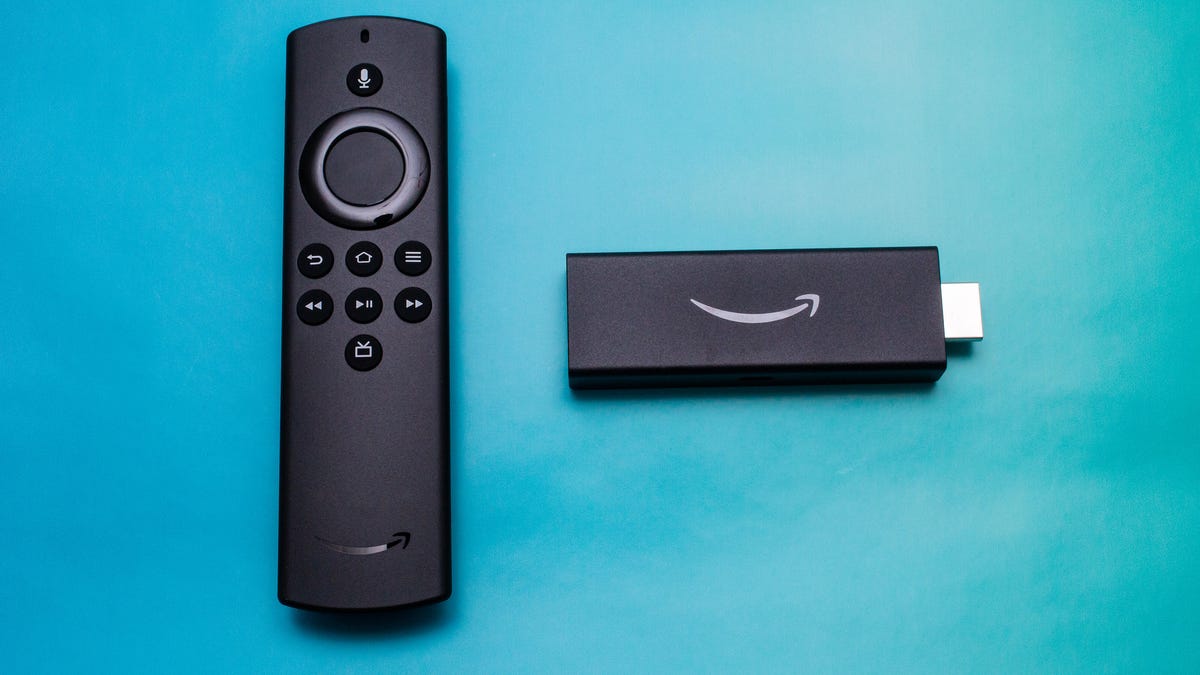
Amazon Fire TV Stick Lite Review: Capable Streamer, Cheap Price
Editor’s Note, Dec. 2022: New releases in the $30 HD streaming category, such as the Chromecast with Google TV HD, have outpaced the Fire TV Stick Lite in terms of both features and value. We have adjusted the rating of this product from an 8.1 to a 6 in order to reflect the changing landscape.
Like
Dirt cheap
Includes Alexa voice remote
Wide range of streaming apps, including Max
Integrates well with Echo speakers
Don’t like
Voice commands don’t work with every app
More complex menus than Roku
HDR without 4K is kinda pointless
Roku
is the biggest name in streaming hardware, with multiple different streamers available right now, and even more TVs and soundbars. Amazon has been gunning for Roku’s slice of the pie ever since the first
Fire TV
appeared. The $30 Amazon Fire TV Lite is the company’s cheapest streamer, an answer to the $30 Roku Express and as you’d expect its biggest advantage over Roku is the Alexa voice assistant.
Amazon also has a $40 Fire Stick but I would argue that the Fire Stick TV Lite is the better deal. The main difference is that the more expensive Stick has a different remote with power, volume and mute buttons to control your TV. If you’re only using this streamer on a cheap TV anyway, it’s worth saving the money, unless you really want TV control.
So is the $30 Fire TV Lite better than the $30 Roku Express? They mostly have the same selection of apps, now that Fire TV has Peacock, so the important differences are in the menu systems and voice support. The Lite’s built-in access to Alexa is a big advantage if you like speaking instead of typing when you search for shows and launch apps. In the end, I liked the Fire TV Lite a bit better, although the Roku Express is still an excellent choice too. If your TV has an
HDMI
port, the Fire TV Stick Lite is a great way to equip it with a wealth of streaming for not much money.
What is it?
The Fire TV Lite is a USB stick-sized device which plugs into a spare HDMI port on your TV. For 30 bucks it offers a lot of features, including that dedicated voice remote that allows integration with the Alexa voice assistant. There’s also dozens of supported
streaming services
among its thousands of available apps.
The remote hasn’t physically changed much since the first Fire TV and I didn’t like the feel as much as the Roku remote or the new Google TV remote. Amazon’s clicker also lacks the shortcuts to
Netflix
or other often-used services, but it does include a new live TV button.

The Lite remote should look familiar to Fire TV users.
Pressing that new bottom button brings up a grid-style live TV guide populated by default with “channels” of free shows from Pluto TV and Starz. Strangely Amazon’s own IMDb TV is not part of the live TV grid, even though it has its own program grid once you open the app. If you happen to subscribe to YouTube TV, you’ll also see shows and channels from that service in the guide, although it didn’t work with Sling TV (subscribers will have to use the Sling app as usual).
The stick itself comes with a power adapter which Amazon strongly recommends you use. While you could use the USB ports on your device to power it I found it could cause the unit could behave strangely. For example, Dolby Atmos content wouldn’t work at all when plugged into a TV USB port, despite the device declaring “Dolby Atmos” — the sound came out as 5.1.
One feature on the Lite’s feature list seems a little out of place: HDR compatibility. This is the first device we’ve seen to offer HDR but not 4K resolution, and it raises the question of what kind of TV it’s designed for. There are hundreds of 4K HDR TVs out there but, based on a search of the Best Buy site, there are only four 1080p TVs that can do HDR. For most people with 4K HDR TVs, we’d recommend getting a streamer that can actually do 4K instead of a 1080p streamer like the Lite.
Lots of streaming apps
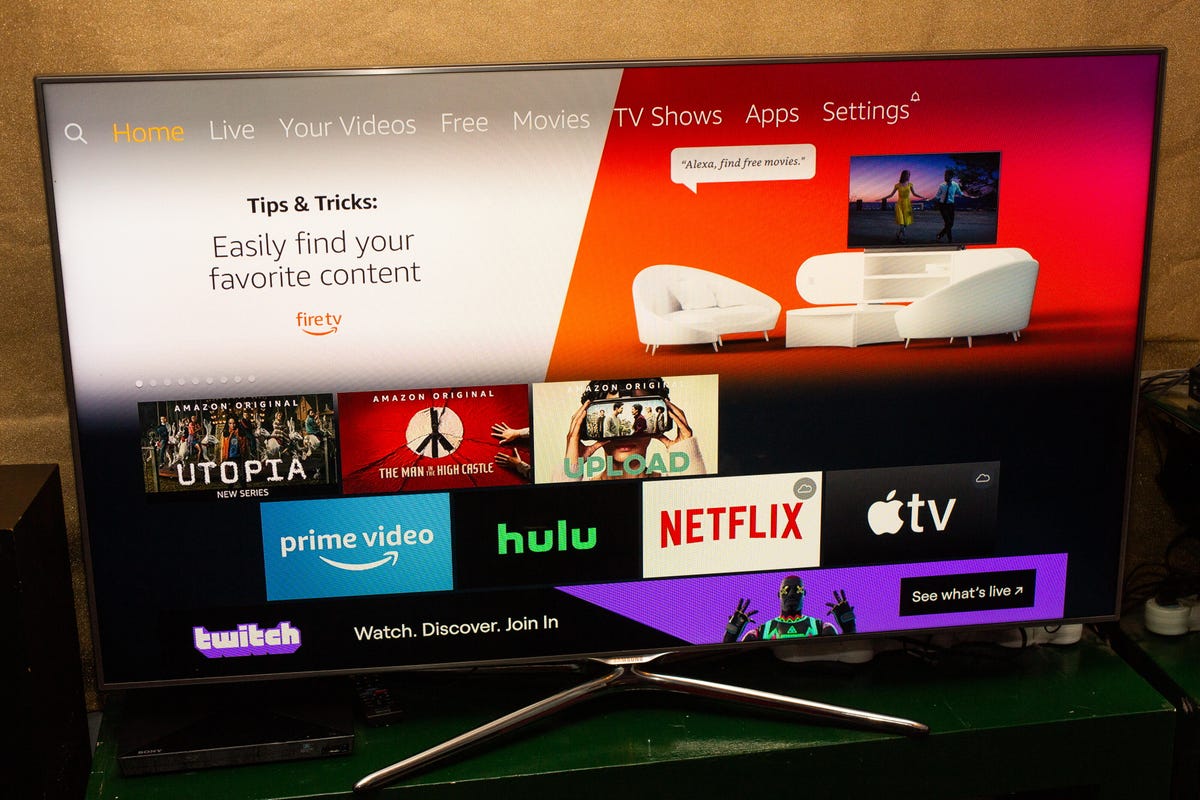
The Fire TV Lite supports a wide range of apps.
Like other streaming devices the number of services that Amazon Fire TV supports is improving all the time. It can access almost all of the major streaming apps, including
Amazon Prime Video
, Peacock, HBO Max, Netflix, Hulu, Sling TV, Crackle, Pluto TV, Tubi TV, Amazon Music, Pandora, Spotify and many, many more.
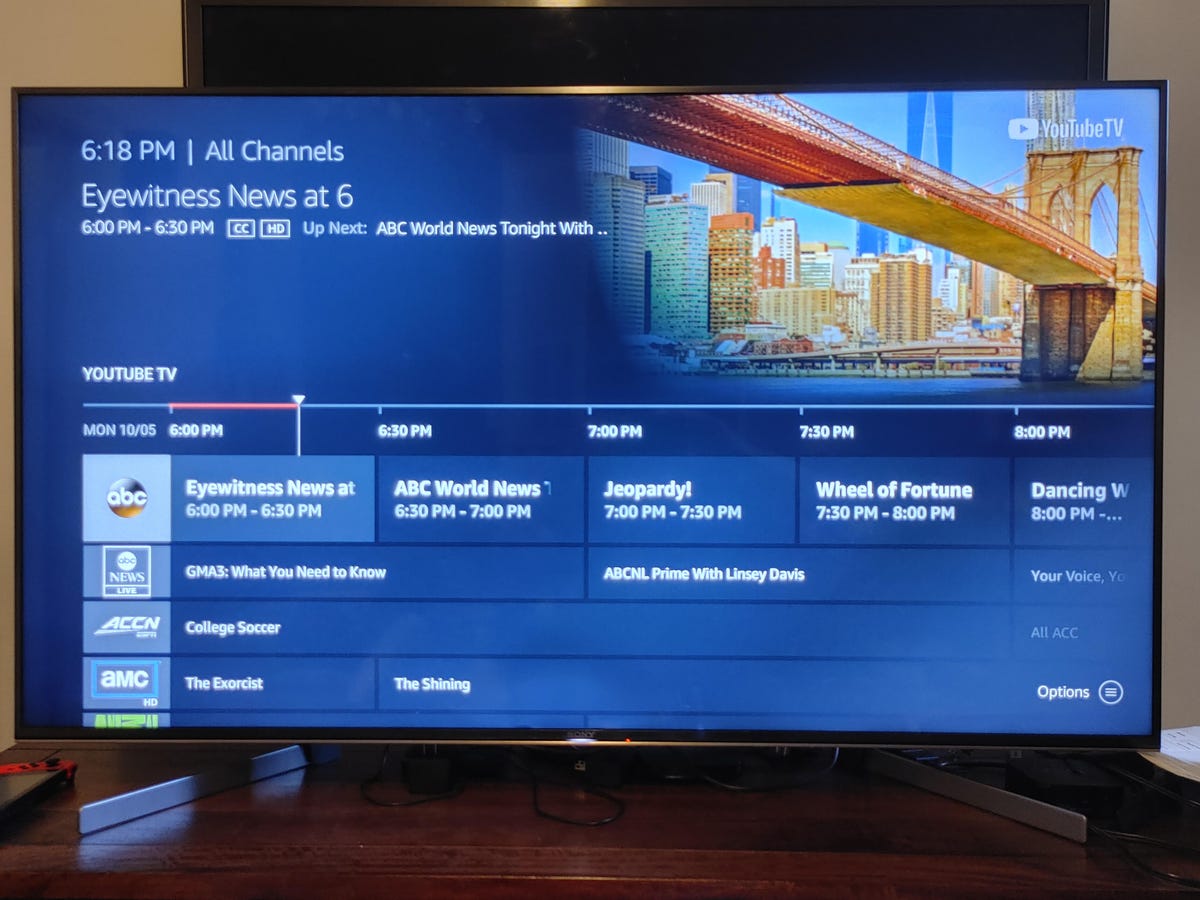
The new Live button on the remote summons a grid-style program guide.
What it’s like to use
The healthy complement of features, tightly integrated voice commands and its relative speed makes for a winning combination. In general opening apps was speedy, and only navigating the home page tiles could give a very occasional slow-down, but nothing that spoiled the experience.
Using the Fire TV Stick Lite remote is easy, and Alexa searches with the microphone button were more responsive and relevant than using the Echo as a go-between. Only once in a while did I wish for a mute button, and that was usually during the autoplay videos that accompany the tiles on the home page.
I appreciated being able to use either the remote or an Alexa speaker for voice commands, but using an Echo speaker didn’t work with every app I tried. Asking for “Umbrella Academy” on Netflix failed, for example, and I just got a “check your skills” message (there is no official Netflix skill in the Alexa app).
Using the remote instead of a speaker was more successful, but even that wasn’t infallible. Given that YouTube TV is now tightly integrated I hoped that voice search would work better than it does. For instance I asked for “Battle Bots on YouTube TV” and all I got were YouTube and Amazon “buy” links. Amazon Prime video worked well with Alexa voice, however.
In contrast, Roku may not have the same robust voice capabilities, but text and voice searches via the Roku remote are generally more targeted toward the free/included programs rather than simply pointing to “buy now” links.
Picture and sound quality were also very good, but the lack of an audio format control beyond “Best Available” could lead to some odd problems. For example, The Legend of Korra on Netflix using the Lite only gave me stereo sound (though it should be capable of 5.1), whereas the new Fire Stick did give me the expected 5.1. Other programs, including Jack Ryan on Amazon, were played in Atmos on the Lite so it wasn’t likely a hardware capability issue. More likely a Netflix one, and when I reached out to Amazon for clarification, a spokesperson confirmed the device supports both 5.1 and 7.1.
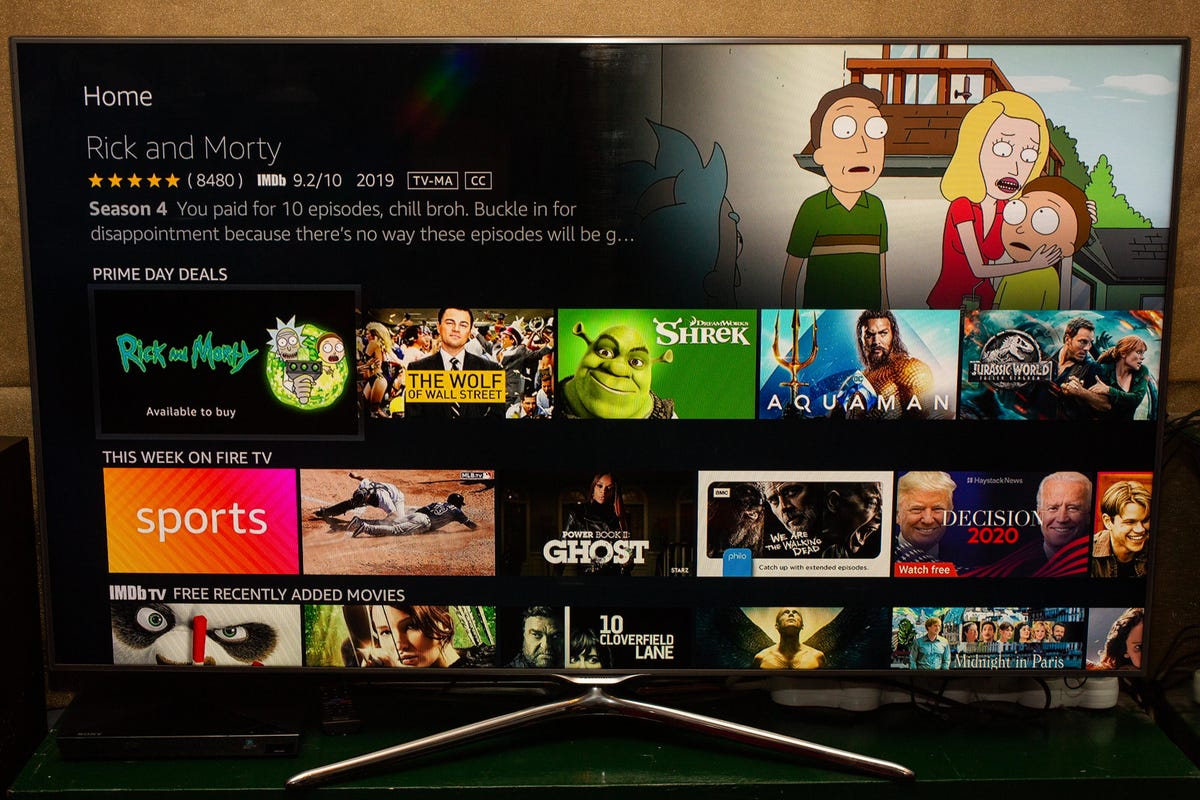
There are two different schools of thought when it comes to how streaming devices organize their content. App-centric menus like Roku and Apple TV just show you a grid of apps, so you can’t actually browse for something to watch without clicking through to each app. Amazon Fire TV and Google TV take a more content-focused approach, surfacing lots of titles on the home page itself.
If you like to graze for content, the Fire TV might be more appealing, although the “live tiles” autoplay video can be jarring. If you know what you want already, or at least what app you want to watch, Roku is probably a better choice, in part because Amazon’s search results skew heavily toward its own content (often at extra cost).
Watch this: All of the announcements from Amazon’s crazy fall event
Should you buy it?
If you want an ultracheap, capable streamer and are embedded with Alexa and the Amazon universe, this product makes a lot of sense. You may or may not miss the TV control functions but the Live TV Guide button is a real bonus for cord-cutters in particular. At $30 it’s a worthy streamer and a great stocking filler.
If, on the other hand, you have the 2019 Fire Stick, there’s absolutely no reason for you to buy either of the 2020 versions. Dolby Atmos and/or Dolby Vision are weird add-ons for 1080p devices, and if you have a decent 4K TV then you should get a real 4K streamer — it’s just another $20.
First published Oct. 8 2020, updated June 2021 with addition of Peacock.
Leave a Reply